Product updates, power-user tricks, and workflow ideas — in your inbox every two weeks.
Commentarii Roamani: Roam Depot Gems: Algorithms of Thought
|
Commentarii Roamani In today's issue we spot the light on a Roam Depot extension. Algorithms of Thought (AOT) puts a toolkit of thinking patterns right inside your graph. You'll break down problems, make trade-offs explicit, and leave behind a reasoning trail that’s robust to hindsight bias and future you’s selective memory. Roam Depot Gems: Algorithms of Thought The AOT extension bundles several distinct approaches. Here are a few:
Break a statement or proposal into three parts: what you agree with, what you reject, and what’s irrelevant. This lens separates value from distraction, and often reveals that the crux of a disagreement is narrower than it first appears.
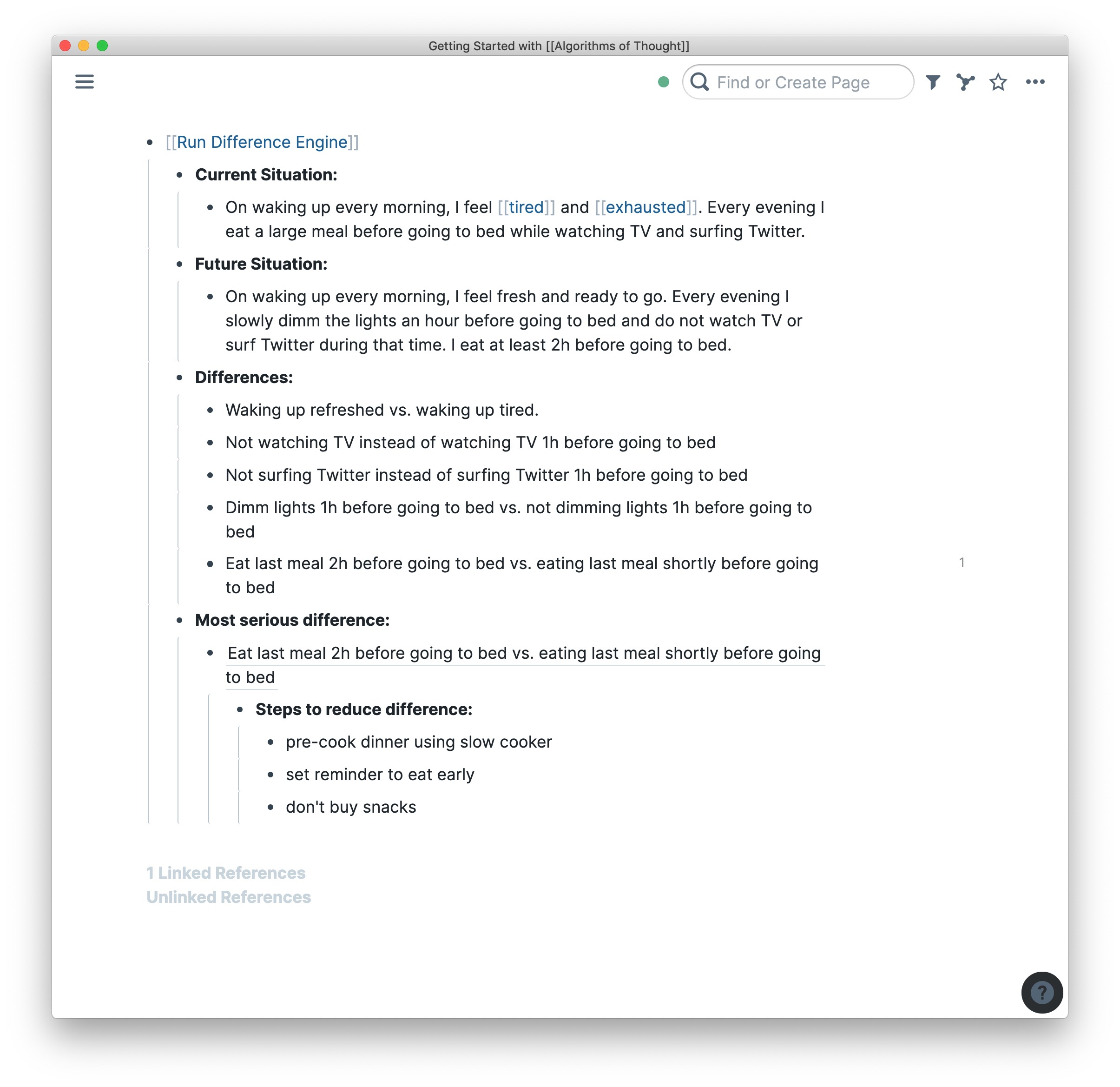
Start by describing where you are now and where you want to be. Compare the two and list the differences. Pick the most important one, then apply a technique designed to close that gap. If it works, move on to the next biggest difference; if it makes things worse, backtrack and try a different approach.
Define what you want, identify the obstacle, and decide on the most direct way to remove it. The simplicity is deliberate, since complexity often conceals the real barrier.
Cut through planning inertia by asking one question: What is the very next step you can take to move this forward? The answer should be small enough to start immediately and concrete enough that you’ll know when it’s done. It’s a simple way to turn abstract goals into motion.
Trouble, Owner, Success Criteria, Constraints, Actors. Begin by defining the problem to be solved (Trouble) and identifying who is responsible for addressing it (Owner). Specify what success looks like (Success Criteria), note the limits you must work within (Constraints), and list the people or groups involved (Actors). Moving through the sequence reveals both the shape of the problem and the boundaries for solving it before you commit to a course of action. Acknowledgements 💎Thanks to the Roam community and thinkers who’ve kept these ideas alive and evolving.
🌱 Quality of Life Improvements
You can read more about these updates in this thread.
|
Commentarii Roamani
Product updates, power-user tricks, and workflow ideas — in your inbox every two weeks.
Commentarii Roamani Hello Roamans! This edition covers the three new extensions June brought to Roam Depot. Keep reading for a breakdown on what each one does and how to use it :) Reminder: To install an extension, go to the left sidebar, and open Roam Depot. Search for the extension and click Install. Each extension comes with a detailed description from its creator. Alias Finder Alias Finder by Ryan Sonneck turns unlinked alias mentions into real links. Here's how it works: Say you want to...
Commentarii Roamani Hello Roamans! This edition covers two extensions we haven't seen yet that pair well for reading and research in Roam. The first, Object Metadata Autocomplete by Vlad Sitalo, builds structured reference pages from a single search. The second, Meta Type by Ryan Sonnek, gives any page a visible type and a panel of the fields you care about. Reminder: To install an extension, go to the left sidebar, and open Roam Depot. Search for the extension and click Install. Each...
Commentarii Roamani Hello Roamans! This week we are looking at CAPTURR by Paul Giffiths, a native iOS app that sends notes, todos, voice memos, and scanned documents to your Roam graph from your phone. CAPTURR CAPTURR is a smooth native iOS app that sends notes, todos, voice memos, and scanned documents to your Roam graph. It is built for speed and works offline, which means you can capture something on the subway or in a room with bad signal and it will sync when you are back online. write...